Skills matrix: a definition
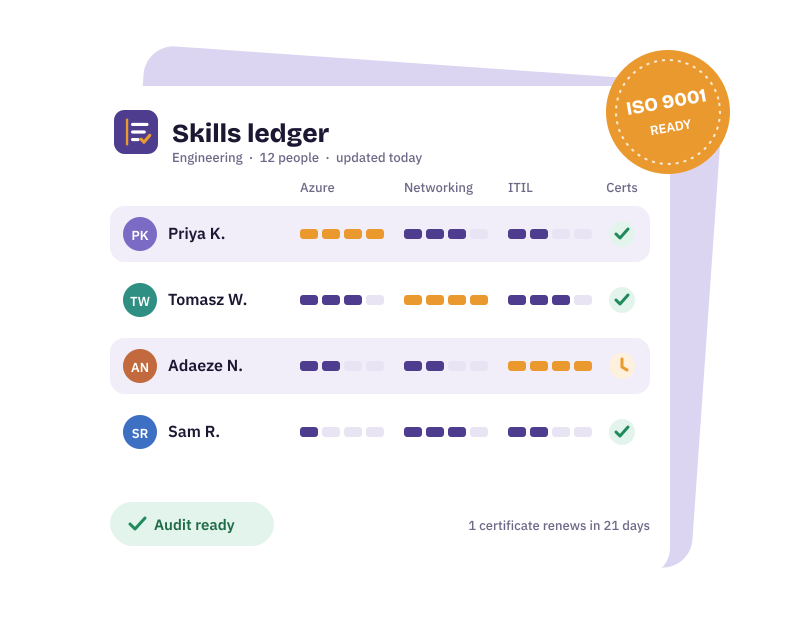
A skills matrix is a grid that maps people against skills. Each row is a person, each column is a skill, and each cell holds a rating showing how capable that person is at that skill. Read across a row and you see one person's strengths; read down a column and you see how well the team covers one skill.
You may also hear it called a skills inventory, competency matrix, capability matrix or training matrix. They overlap, but they aren't quite the same thing. See skills matrix vs competency matrix and what is a training matrix for the differences.
What a skills matrix looks like
Here is a small example for an IT support team, using a 0 to 4 scale (0 = none, 2 = practitioner, 4 = expert):
| Person | Microsoft 365 | Networking | Windows Server | Customer comms |
|---|---|---|---|---|
| Asha | 4 | 2 | 3 | 3 |
| Ben | 3 | 0 | 2 | 4 |
| Chloe | 2 | 4 | 1 | 2 |
| Dev | 1 | 1 | 0 | 3 |
| At 2 or above | 3 of 4 | 2 of 4 | 2 of 4 | 4 of 4 |
Even this tiny matrix tells you something useful. Only Chloe is strong at networking, so if she's on holiday, network problems wait. Dev is the obvious candidate for Windows Server training. Customer communication is well covered. For more layouts, see our skills matrix examples.
What is a skills matrix used for?
Training planning
Spot the gaps and spend the training budget where it closes the biggest ones.
Cover and resilience
Find single points of failure, where only one person can do a critical task.
Resourcing projects
Staff a project or a shift with the right mix of skills, not just whoever is free.
Hiring
Write job specs around the skills the team is actually missing.
Compliance and audits
Show evidence of competence for ISO 9001, regulators or customers.
Career development
Give people a clear view of where they are and what the next level looks like.
Benefits of a skills matrix
- Decisions based on evidence, not memory. Managers stop relying on who they think can do what.
- Risk becomes visible. Skills held by one person, and certificates about to lapse, stand out.
- Training has a purpose. Every course can be tied to a gap you've actually measured.
- Fairer development. Everyone is assessed against the same skills and the same scale.
- Faster onboarding and handovers. New starters and managers can see the team's shape on day one.
What to include in a skills matrix
- People, grouped by team, so each group is judged on what it actually needs.
- Skills: technical skills, tools and systems, and behavioural skills where they matter. Usually 10 to 25 per team.
- A rating scale with a clear description for every level, so a "3" means the same thing to everyone.
- Certifications with expiry dates, recorded as held or not held rather than rated.
- Targets: how many people you need at each level for each skill, so the gaps can be counted.
How to create a skills matrix
- Decide what it's forTraining, cover, audits or resourcing. The purpose decides how much detail you need.
- List the skills per teamAsk each team lead for the skills that genuinely affect the work.
- Agree a rating scaleA short scale such as 0 to 4, with plain-English descriptions.
- Collect ratingsSelf-assessment followed by a manager review gives the best balance of effort and accuracy.
- Find the gaps and actCompare the ratings with your targets and turn the biggest gaps into training actions.
Each step is covered in detail in how to build a skills matrix.
Skills matrix in Excel or software?
For one small team, a spreadsheet works well, and our free skills matrix template gives you a rating scale, colour-coded matrix, certificate tracker and gap summary. Once the matrix spans several teams, one person can't keep it current and expiry dates start slipping, which is the point where skills matrix software earns its keep. Here's how to tell which you need.
Download our Excel skills matrix template: no email or sign-up needed. It works in Excel, Google Sheets and LibreOffice.