What's inside
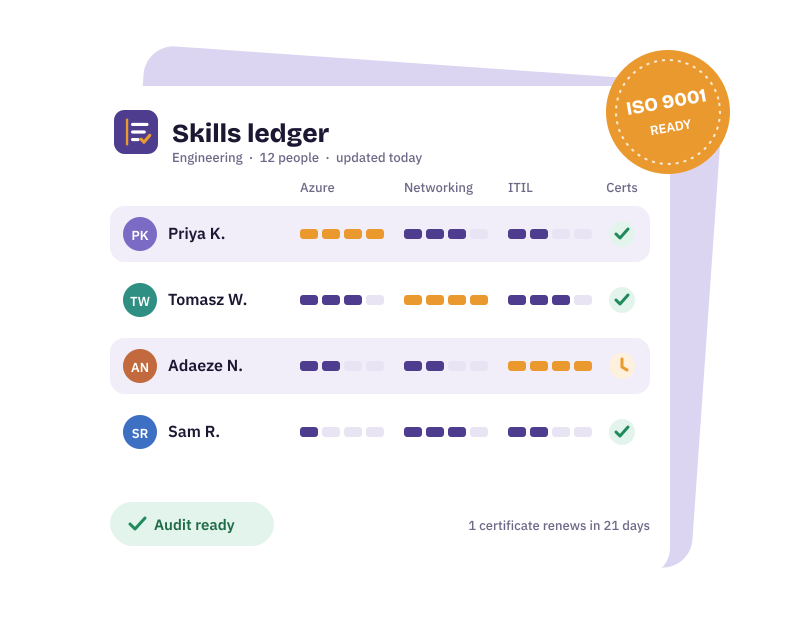
Skills matrix
People down the side, skills across the top, a 0 to 4 dropdown in every cell, and colours that fill themselves in.
Rating scale
None, Aware, Practitioner, Advanced and Expert, each with a plain-English description you can edit.
Certificates
Issue and expiry dates, with days left and a status of OK, Due soon, Renew now or Expired.
Gap summary
Set a target for each skill; the sheet counts who is at Practitioner or above and shows the gap.
How to use it
- List your people and skillsAdd names down the left of the Skills matrix sheet and the skills that matter across the top.
- Agree the scaleCheck the Rating scale sheet with your managers so everyone rates the same way.
- Rate everyoneUse the dropdown in each cell. Blank means not rated yet.
- Add certificatesRecord expiry dates on the Certificates sheet and keep an eye on the status column.
- Set targetsOn the Gap summary sheet, enter how many people you need at Practitioner or above for each skill.
New to skills matrices? Read how to build a skills matrix first.
When you outgrow the spreadsheet
A template works well for a single team. As you grow, the same problems tend to appear: one person owns the file, versions multiply, expiry dates get missed and reports take an afternoon. Here's how to tell when it's time to switch.
SkillsLedger is the live version of this template: people rate themselves, managers sign off, certificates warn you before they expire and reports take one click. Try it free for 30 days.